Why Your UGC Ads Need Better Editing — Not Better Actors
The biggest performance gap in UGC advertising isn't your talent — it's your edit. Here's the data, the psychology, and how to fix it with the right video editing process.
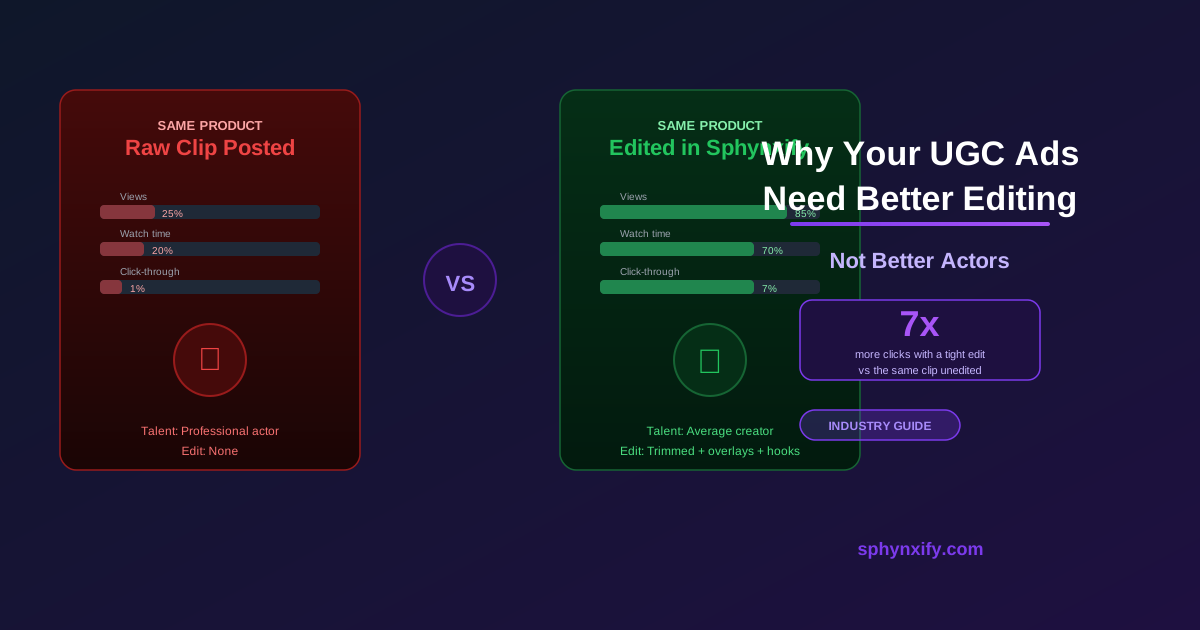
Why Your UGC Ads Need Better Editing — Not Better Actors
Let's say you're using Sphynxify to generate AI UGC videos and they're underperforming. Mediocre click-through rates. Low watch time. Credits spent with not much to show for it.
The common diagnosis? "The AI-generated video isn't good enough. I need to tweak the prompt, change the avatar, regenerate." So you generate again. And again. Results are… roughly the same.
Here's the diagnosis most people miss: the problem was never the generated clip. It was that you posted it raw — without editing.
The Uncomfortable Truth About UGC Performance
The creative elements that drive UGC ad performance are almost entirely in the edit — not the raw footage.
Research from Meta's creative team consistently shows that the first 3 seconds determine 80%+ of a video's total watch time. That's not determined by who your creator is. That's determined by:
- Where you cut in
- What text appears in the first second
- Whether the visual hook is compelling enough to pause a thumb mid-scroll
A perfectly scripted, well-rendered AI UGC clip posted raw will lose to a rougher clip that's been edited to hit hard in the first 2 seconds.
The edit is where the performance lives.
What Actually Drives UGC Ad Performance
Let's break down the real levers:
1. The Hook (0–3 seconds)
Weight: Massive. This single element decides whether anyone sees the rest of your ad.
An AI-generated clip typically starts with a brief visual lead-in before the avatar speaks. In advertising time, that's an eternity. By the time the first word appears, 30–40% of your audience has already scrolled.
The fix is a trim. Drag the start of the clip right until the first word is the first frame. Same generated video, same script, same product — but the ad feels punchy and confident.
2. Text Overlays
Weight: Critical, especially for mobile.
Studies consistently show that 50–85% of social media video is watched with sound off (sources vary, but even the conservative end is alarming). If "sound on" is required to understand your message, you've already lost the majority of your potential audience.
A text overlay that says "Takes 10 seconds and saves 2 hours a week" at second 5 costs nothing to add and completely changes comprehension for muted viewers.
No amount of re-generating the clip fixes a muted UGC ad. A well-placed text overlay does.
3. Pacing
Weight: High.
Every second of dead air is a second where a viewer's attention can drift. That doesn't mean videos need to be fast — it means every second needs to be earning its place.
In longer UGC videos (30–60 seconds), dead air compounds. A trained editor can cut 8 seconds of pad out of a 40-second video and increase watch completion rates by 15–20%.
This is a craft skill, but a learnable one. Tools like Sphynxify's Video Editor make it accessible by letting you drag trim handles frame-by-frame and hear exactly what's being said before and after each cut.
4. Clip Sequencing
Weight: Medium to high.
The structure of your video matters. A hook → demo → CTA structure is proven to outperform demo → hook → CTA or demo → demo → demo.
But the sequencing only helps if you actually have multiple clips — which requires a tool that lets you merge independently generated or shot videos into a single output. That's editing, not performance.
The Real Cost of Skipping the Edit
Consider this: you generate an AI UGC video in Sphynxify. The script is solid, the avatar looks great, the delivery is on point. You download it and post it directly.
The ad runs for 2 weeks. Results: 1.2% CTR, 18% average view duration.
You assume the AI generation needs improvement — different avatar, different script, different prompt. You spend more credits regenerating.
Meanwhile, someone else takes that same generated clip and:
- Cuts the first 1.5 seconds of visual lead-in before the avatar speaks
- Adds a hook text overlay in the first 2 seconds
- Merges a second generated clip (a product close-up) midway through
- Trims the trailing CTA segment down from 8 seconds to 4
- Adds a text overlay on the final frame: "Link in bio for 15% off"
Their version of the same AI-generated footage runs at: 4.1% CTR, 57% average view duration.
Same generated clip. Radically different performance. The only thing that changed was the edit.
The Editing Skills That Actually Matter
You don't need to become a professional video editor. But you do need to understand three things:
Trimming (most important)
Removing the first and last seconds of every clip is the single highest-ROI editing action you can take. It creates energy before the viewer can think about leaving.
In Sphynxify's Video Editor: drag the left and right trim handles, or use Delete Left/Right from the playhead. Takes under 30 seconds per clip.
Text Overlays (second most important)
Adding timed text at 3 key moments — hook, main benefit, CTA — covers your muted viewers without any audio engineering.
In Sphynxify's Video Editor: click the Text tab, click Add Text, type your copy, set start/end timestamps, drag to position. Takes under 2 minutes for 3 overlays.
Clip Merging (structural power)
Instead of one rambling 40-second clip, you can create a tight 24-second composite from a 4-second hook shot, a 15-second demo shot, and a 5-second CTA shot. This is what gives your ad its rhythm and structure.
In Sphynxify's Video Editor: add each clip to the timeline in order from the Clip Tray. Trim each one individually. Set fades between them. Finalize as a single MP4.
Why Most People Skip the Edit
If editing is this important, why don't more people do it?
Three reasons:
1. It feels like "extra work" after generation Generating an AI UGC video and immediately posting it is fast. The editing step feels like overhead on top of a process that's already automated. But the performance difference is so significant that the ROI on 10 minutes of editing is almost always positive within the first day of running the ad.
2. Professional editing tools have too much friction Opening Premiere Pro or DaVinci Resolve to make a 3-second trim and add two text overlays is overkill. The tools are built for long-form production — they create barrier-to-entry for quick social ad edits.
3. The editing tool is already built in — most people just don't use it Sphynxify's Video Editor lives inside the same tool where you generate your AI UGC videos. There's no export step, no download-and-re-upload, no learning curve. Your generated clips are already in the Clip Tray the moment generation finishes. The editor is one sidebar click away.
A Study in Contrast: Same Generated Video, Different Results
Here's a real-world breakdown of how edits change performance for an e-commerce skincare brand using AI-generated UGC (composited example):
Version A: Generated clip posted raw
- Generation: AI avatar, polished script, 28-second output
- Length: 28 seconds (no edits)
- Text overlays: None
- Edit actions: None (direct download → upload)
- CTR: 0.9%
- Watch time: 22% average
Version B: Same generated clip, edited in 8 minutes in Sphynxify
- Generation: Same AI video output
- Length: 19 seconds (trimmed lead-in, cut trailing pause, merged a product close-up clip)
- Text overlays: Hook text at 0s, "Visible in 7 days" at 8s, "Shop now" at 16s
- Fades: Fast 0.25s between hook and demo clips
- CTR: 4.8%
- Watch time: 61% average
5.3x CTR improvement. 2.8x watch completion. Same AI-generated footage, 8 minutes of editing.
How to Run a Proper Editing Test
Here's how to validate this for your own product:
- Generate your AI UGC video in Sphynxify — download it and run it unedited as the control (Version A)
- Open Sphynxify Video Editor — create Version B with trim + text overlays on the same clip
- Create Version C — generate a second clip (hook variant or product close-up), merge it with the first as a two-scene sequence
- Run all three simultaneously in Meta Ads Manager as variants with equal budget
- After 5,000 impressions each — you'll have your answer
In most categories, the edited version outperforms the raw version by a meaningful margin. Once you see it in your own data, the 10-minute edit becomes a non-negotiable part of your production workflow.
What to Invest In vs. What to Skip
A lot of people focus on the wrong variables when AI UGC underperforms. Here's a re-prioritization:
| Action | ROI |
|---|---|
| Editing your generated clip (trim, overlays, sequencing) | ⭐⭐⭐⭐⭐ — highest leverage, zero extra credits |
| Testing multiple edits of the same generation | ⭐⭐⭐⭐ — variations compound fast |
| Generating a dedicated hook clip + merging it | ⭐⭐⭐⭐ — structure drives completion |
| Refining your script prompt | ⭐⭐⭐ — useful, but not the primary lever |
| Trying a different AI avatar | ⭐⭐ — minor lift if edit is already good |
| Regenerating the same script repeatedly | ✗ — won't fix an editing problem |
The instinct to regenerate when an ad underperforms is understandable — but nine times out of ten, the issue is fixable in the editor without spending a single additional credit.
The Bottom Line
Stop regenerating when your AI UGC ads underperform. Start editing.
The 1.7-second scroll decision isn't influenced by which AI avatar you chose, how polished the script was, or how many credits you spent on generation. It's influenced by the first visual frame and whether the text (or sound, for the audio-on minority) creates enough tension or curiosity to earn the next second of attention.
You control all of that in the edit — and in Sphynxify, the editor is already waiting next to your generated clips.
Sphynxify's Video Editor gives you everything you need: trim handles, text overlays, clip merging, fades, and cloud rendering — all inside the same tool that generated your video.
Take your next generated clip and edit it before posting. One trimmed start, two text overlays, and a tighter CTA. Run it against the raw version.
Let the data tell you what it's worth.
Edit your first video in Sphynxify →
Related reading: How to Use the Sphynxify Video Editor (Step-by-Step) | The Editing Strategy Behind High-Converting UGC Reels