The 10-Minute Video Marketing Workflow: Create with AI, Schedule Everywhere
Most brands take hours to go from video idea to published everywhere. Here's the exact workflow using Sphynxify and Post-Bridge to create a video ad and schedule it to TikTok, Instagram, YouTube, Facebook and more — in under 10 minutes.
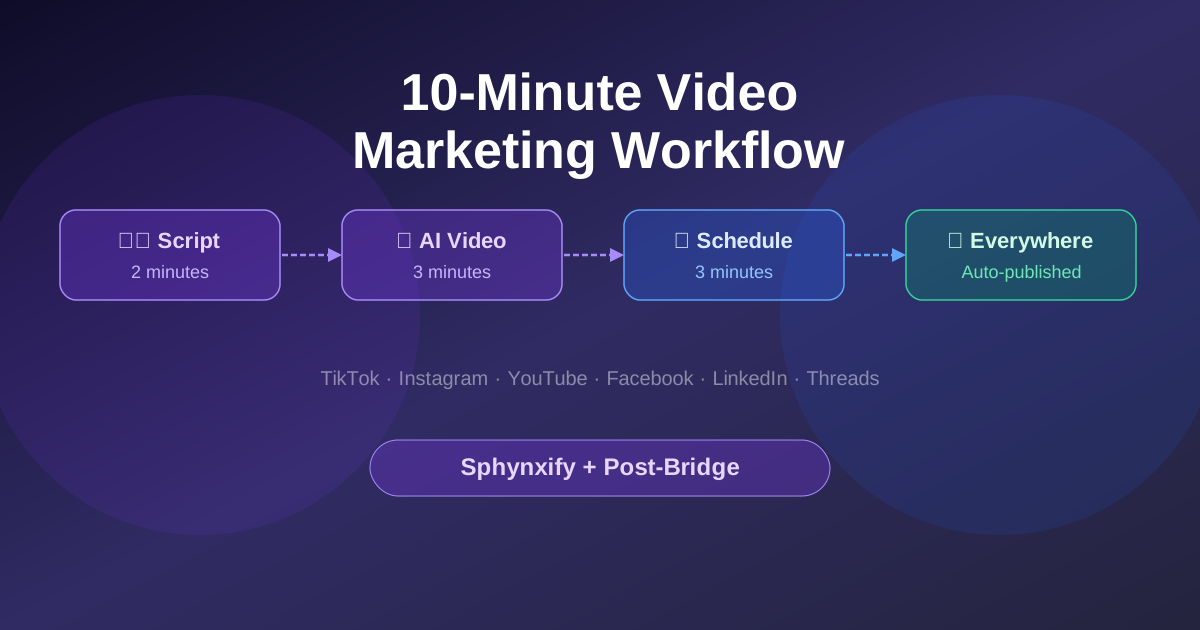
The 10-Minute Video Marketing Workflow: Create with AI, Schedule Everywhere
Here's the honest problem with social media video marketing for most businesses:
You know you should be posting consistently across TikTok, Instagram Reels, YouTube Shorts and Facebook. You know that volume and frequency are what move the needle. But the actual process — writing a script, recording, editing, exporting for each platform, then logging into five different apps to upload and schedule — takes most of a morning.
So it happens once a week if you're disciplined. Or once every two weeks if you're realistic.
That frequency isn't enough to build momentum on any platform.
The workflow below collapses the entire process into two tools and under 10 minutes. It's what we use at Sphynxify — and it's the approach a growing number of the brands on our platform have adopted.
The Two Tools
Sphynxify — AI video generation. You write a script (or use the dashboard's AI to generate one), select an AI avatar and voice, and export a ready-to-post short-form video. No camera, no editing software, no filming. Output: a 9:16 MP4 ready for every short-form platform.
Post-Bridge (post-bridge.com) — multi-platform social media scheduler. Connect your TikTok, Instagram, YouTube, Facebook, LinkedIn, Twitter/X, Threads, Bluesky and Pinterest accounts once. Then upload your video, write your caption (with per-platform customisation if needed), set your schedule, and Post-Bridge handles the publishing across all platforms simultaneously.
Together: video creation + distribution, without switching between five different apps or manually uploading to each platform.
The Workflow, Step by Step
Step 1: Write your script (2 minutes)
Every good video starts with a clear script. For short-form ads, this should be 30–60 seconds — roughly 65–130 words at a natural speaking pace.
The structure that consistently performs:
- Hook — first 2–3 seconds, create pattern interruption
- Problem — name the specific frustration your audience has
- Solution — introduce your product or service as the answer
- CTA — one clear instruction, one reason to act now
If you're unsure how long your script will run, paste it into the Script Duration Calculator before you move on. A script that's 30 seconds too long means a rushed delivery or a reshoot.
Step 2: Generate your video in Sphynxify (3 minutes)
Log into your Sphynxify dashboard and open the video editor:
- Paste your script into the script field
- Choose your AI avatar — pick one that matches your brand's tone and target demographic
- Select your voice — language, accent and speed
- Preview the output
- Export as 9:16 MP4
The video renders in the background. You'll get a notification when it's ready to download. Most videos are ready within 2–3 minutes of submission.
One video. Zero filming. Zero editing.
Step 3: Upload to Post-Bridge and schedule everywhere (3 minutes)
Open Post-Bridge (post-bridge.com) and create a new post:
- Upload your video — drag and drop the MP4 from Sphynxify
- Write your caption — Post-Bridge lets you write one master caption and then customise per platform (useful since TikTok has a 2,200-char cap and YouTube Shorts requires a title)
- Select your platforms — toggle TikTok, Instagram Reels, YouTube Shorts, Facebook Reels, and anywhere else you want to publish
- Pick your schedule — choose a date and time, or queue it into your content calendar
- Confirm — Post-Bridge handles the rest
That's it. One upload, one schedule, published everywhere when the time comes.
Why This Works at Scale
The traditional bottleneck in social media marketing isn't ideas — it's execution time. Every step that requires manual effort (filming, editing, logging into each platform, re-uploading for each) adds friction that makes high-frequency posting feel unsustainable.
When you remove the filming + editing step with AI video generation, and remove the multi-platform manual upload step with a scheduler, the actual time investment per video drops dramatically.
The math:
| Task | Traditional | This workflow |
|---|---|---|
| Script writing | 20–30 min | 2 min |
| Recording + retakes | 30–45 min | 0 min |
| Editing + captions | 30–45 min | 0 min |
| Platform uploads (×5) | 20–30 min | 3 min |
| Total per video | 100–150 min | ~8 min |
At 8 minutes per video, producing 5 videos a week takes under 45 minutes. At the traditional pace, that same 5 videos takes 8–12 hours.
Volume is what drives algorithm distribution. More videos means more chances to hit — and this workflow makes volume feasible without a dedicated content team.
Per-Platform Tips When Scheduling
Post-Bridge lets you customise per platform before scheduling. Here's what to adjust:
TikTok
- Caption: conversational, hashtags optional (3–5 relevant ones)
- Captions character limit: 2,200 — stay well under
- CTA: "Link in bio" or "Check the comments"
Instagram Reels
- Caption: slightly more polished than TikTok, hashtags matter more (10–15 targeted)
- Tag your location if local business
- Cross-post to Facebook from the Instagram scheduling panel in Post-Bridge
YouTube Shorts
- Requires a title (Post-Bridge has a dedicated title field for YouTube)
- Use your primary keyword in the title
- Description can be longer — use it for your full CTA and any links
Facebook Reels
- Works well with a short, punchy caption — Facebook audience skews slightly older
- Engagement on Facebook can be slower but often steadier than TikTok
LinkedIn (if relevant to your brand)
- Use the same video but reframe the caption for a professional audience
- Post-Bridge handles LinkedIn native video directly
Building a Content Calendar
The biggest unlock with Post-Bridge isn't the day-of posting — it's the ability to batch-create and batch-schedule.
A practical batch-work approach:
Monday (1 hour): Write 5 scripts for the week. Use the script to plan out a theme — same product from different angles, same offer with different hooks, one testimonial and four educational pieces.
Tuesday morning (40 minutes): Generate all 5 videos in Sphynxify. Start the renders sequentially — each one takes 2–3 minutes, so by the time you've submitted the fifth, the first is usually ready to download.
Tuesday afternoon (20 minutes): Upload all 5 to Post-Bridge. Schedule them across the week at your optimal posting times. Done.
The rest of the week: zero time on content. Post-Bridge publishes on schedule while you focus on everything else.
What About Engagement?
Scheduling tools handle publishing — they don't handle replies, comments or community. That piece still requires you.
A realistic engagement commitment for a brand posting 5 videos/week:
- Check TikTok comments 15 minutes per day (comments in the first hour of posting matter most for distribution)
- Respond to Instagram DMs once per day
- Monitor Facebook for any negative feedback
Roughly 20–30 minutes per day. That's manageable because the content creation time has been reclaimed.
The Full Stack for 2026 Video Marketing
For brands that want a complete system:
- Strategy — use our Video Ad Audit to evaluate what's working before you produce more
- Scripts — write 30–60 second scripts; check timing with the Script Duration Calculator
- Hooks — generate scroll-stopping openers with the Ad Hook Generator
- Video creation — Sphynxify for AI-generated UGC-style video
- Distribution — Post-Bridge for one-click scheduling across all platforms
- ROI tracking — measure performance with the Video Ad ROI Calculator
Each step in that chain is faster than it's ever been. The brands posting 20–30 videos a month aren't working harder — they've just built the right workflow.
Start with Sphynxify → Try it free and have your first AI video ready in under 5 minutes.